PixelMonsters
Brimful Forever icon: a round flask of blue mana

Free WoW Forever add-on

Brimful Forever

You can stay focused on the battle because Brimful Forever handles the mana tracking for you. The tool displays your regeneration rate, suggests the right potion to cover any deficit, and helps determine if new gear is better for a healer.

Version 0.6.3 · 181 KB zip · for WoW Forever 1.60.1 · coming soon to CurseForge

What it does

The mana bar

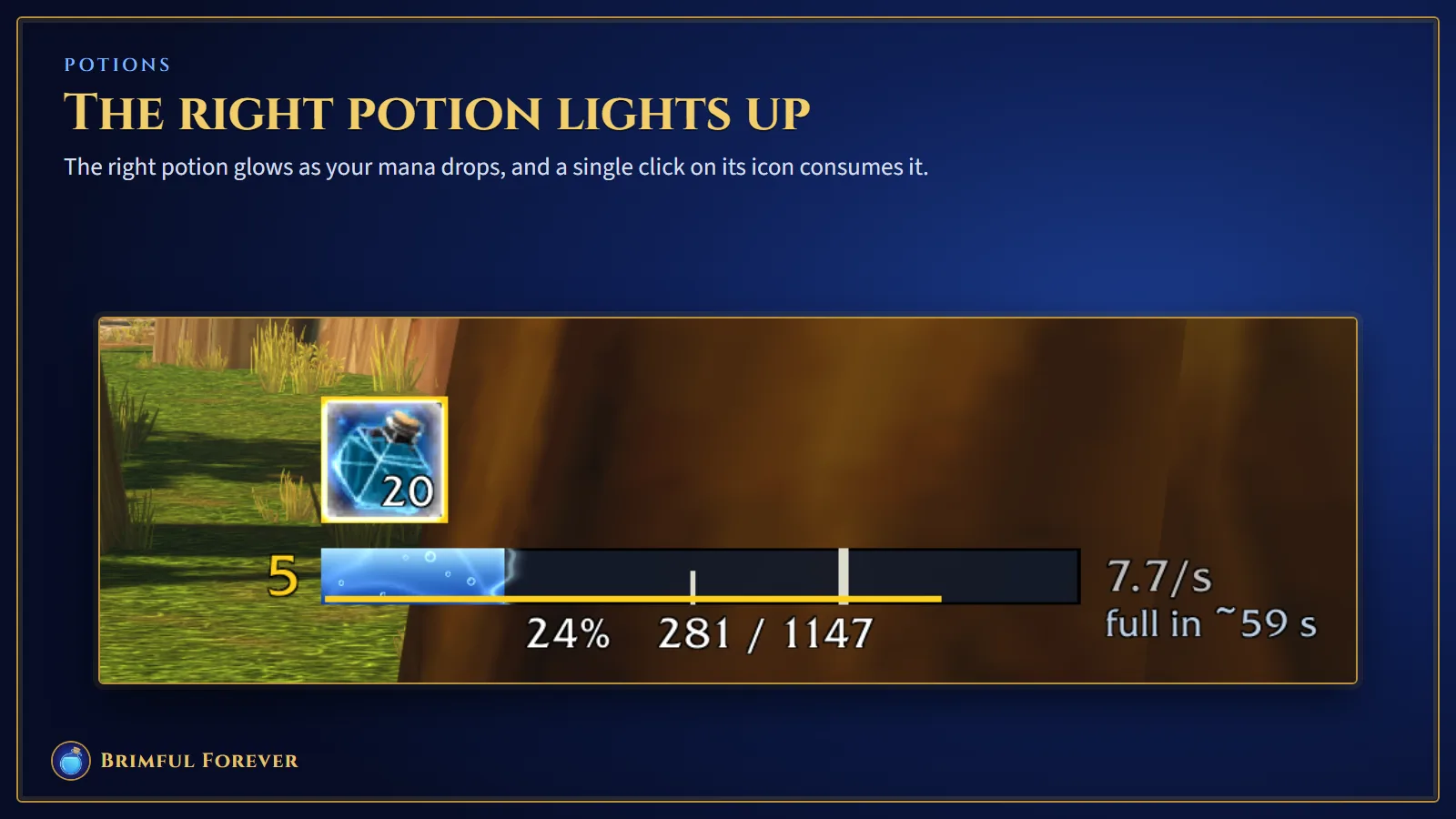
The mana bar flows beneath your character, displaying the level in both percentage and numeric values. It also tracks regeneration speed per second, the timer for the five-second rule, and how much time remains before reaching full capacity. Specific marks on the bar indicate where potions start to light up.
Potions that light up when they fit

Brimful monitors the mana potions, runes and gems you carry. The icon glows once your mana drops low enough that drinking a potion will not cause overflow. Just click the icon to consume it. Brimful does not activate any item on its own.

Brimful Forever: potions that light up when they fit, shown in game

Healer advice on gear

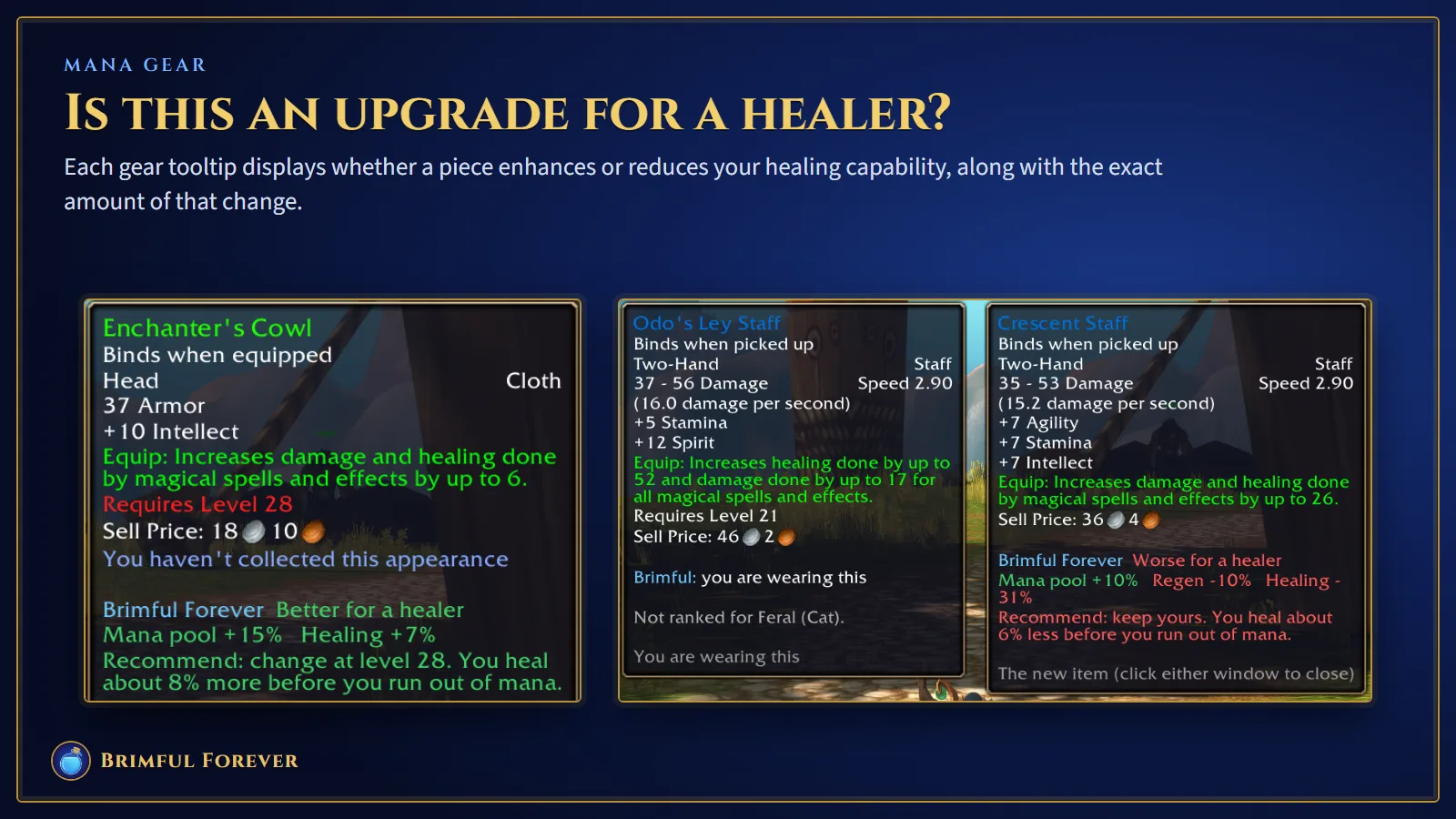
When your cursor rests on any equipment, Brimful injects a healing-focused assessment right into the tooltip. It clarifies if the item improves or hinders your ability to heal, detailing the specific impact on your mana capacity, regeneration rate, and healing output. You also get a straightforward suggestion to either swap the piece out or leave it on, and this exact guidance appears beside loot rolls so you can decide whether to need the item.

Brimful Forever: healer advice on gear, shown in game

It learns how you heal

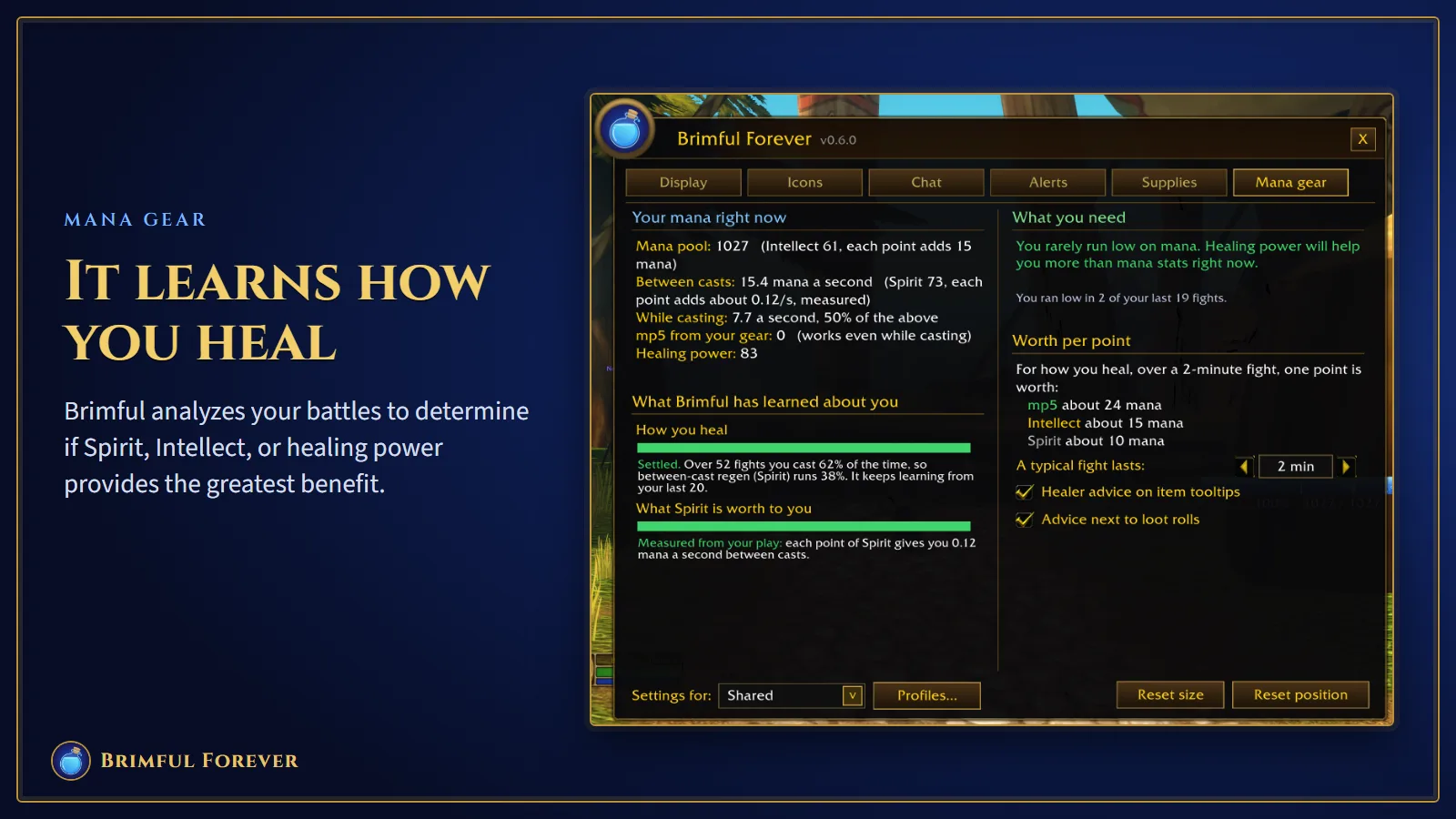
Brimful keeps a close eye on your individual encounters. It calculates the actual value of Spirit for you, tracks the portion of every fight that goes into casting spells, and notes how frequently your reserves dip. Afterward, the Mana gear section points you toward your next priority: Intellect, Spirit, or healing power.

Brimful Forever: it learns how you heal, shown in game

Tells your group for you

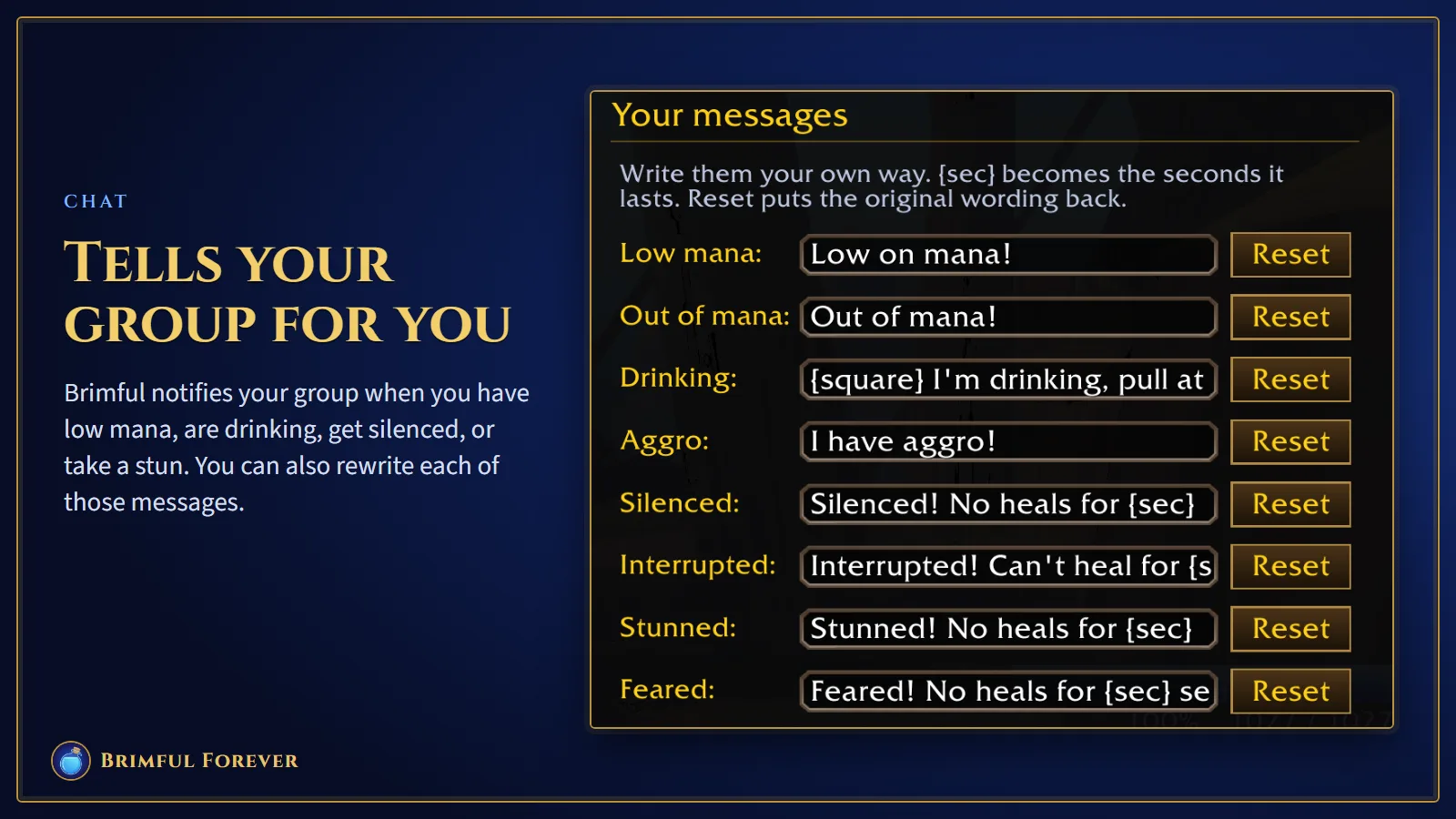
Brimful works within party and raid settings to alert your team about your status. It notifies them if you are low or out of mana, sitting down to drink, pulling aggro, or suffering from silence, stuns, fear effects, or interrupts, including the duration in seconds. All message texts are editable. Each alert triggers only during group play and fires once per specific event, and you have the option to disable any individual notification.

Brimful Forever: tells your group for you, shown in game

A soft warning on aggro

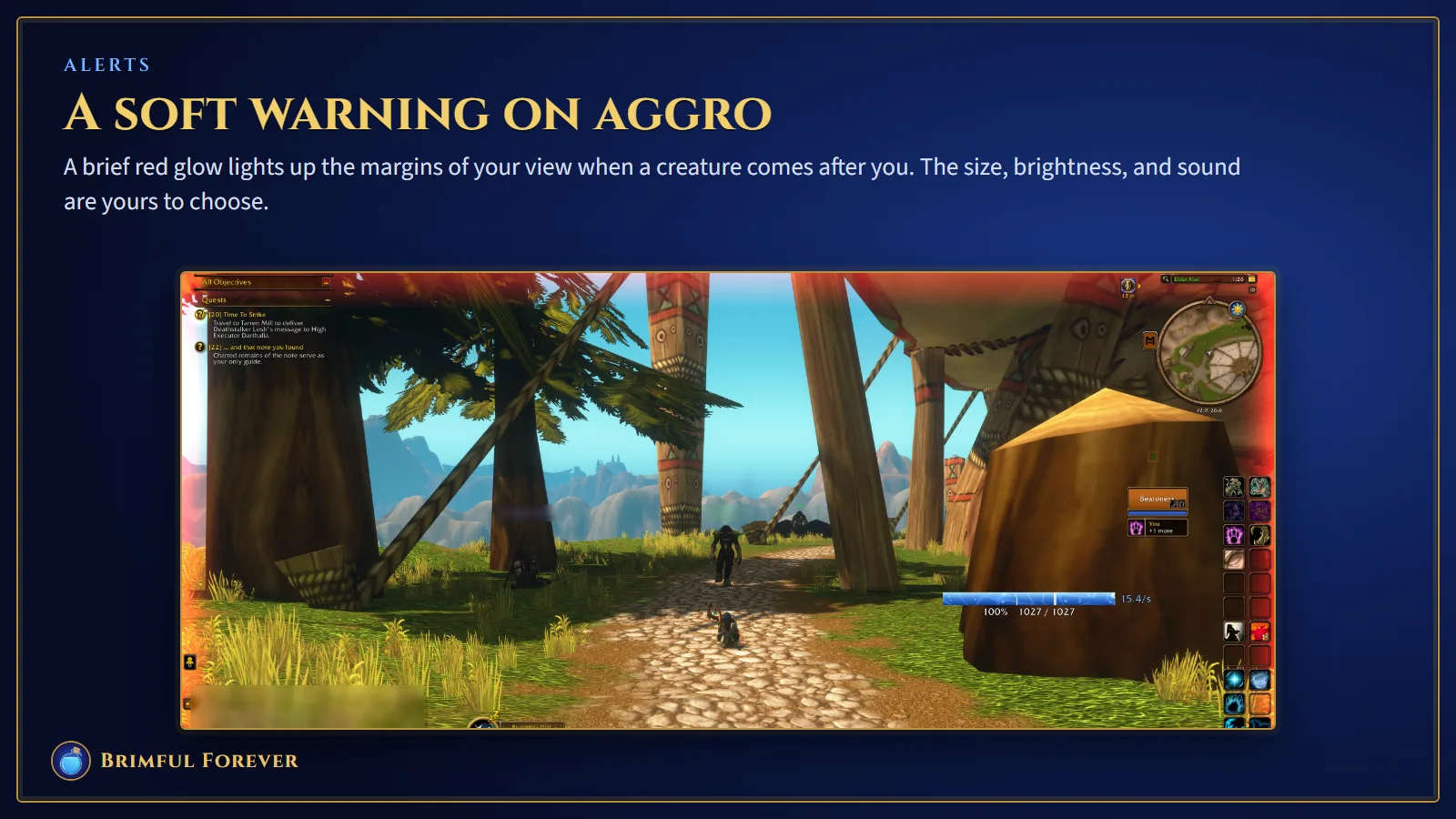
A red glow appears at the screen's boundaries and fades in and out when a monster begins attacking you. You decide how large, bright, or loud it is. The effect can stay off while you are tanking.

Brimful Forever: a soft warning on aggro, shown in game

Supplies and restocking

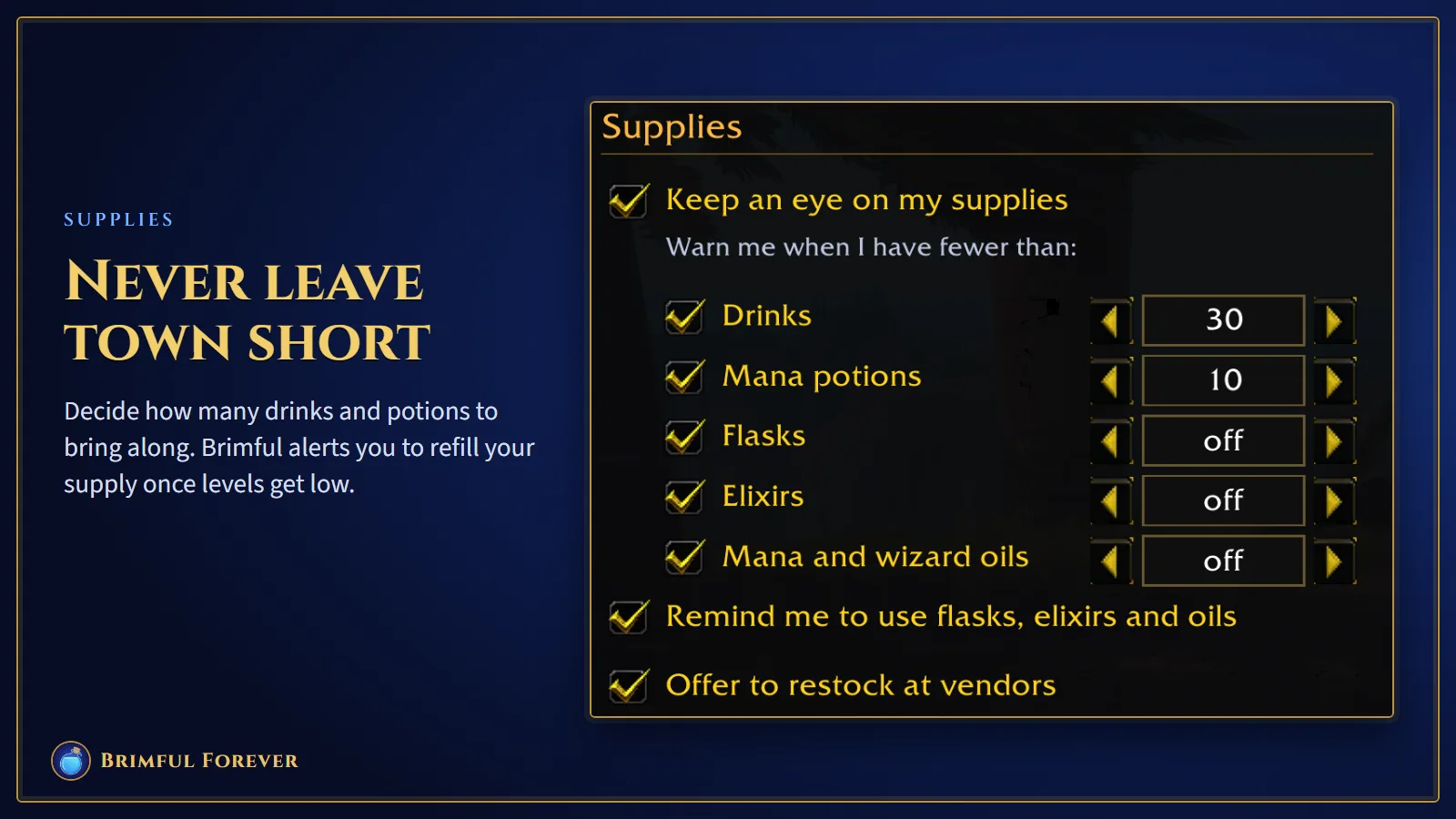
Decide how many potions and drinks to keep on hand. If your count dips below that limit, Brimful alerts you. The shopping list then points out the top choice for your current level. Need supplies? Use the Restock button at a vendor to purchase what you lack, but it only acts when you click it.

Brimful Forever: supplies and restocking, shown in game

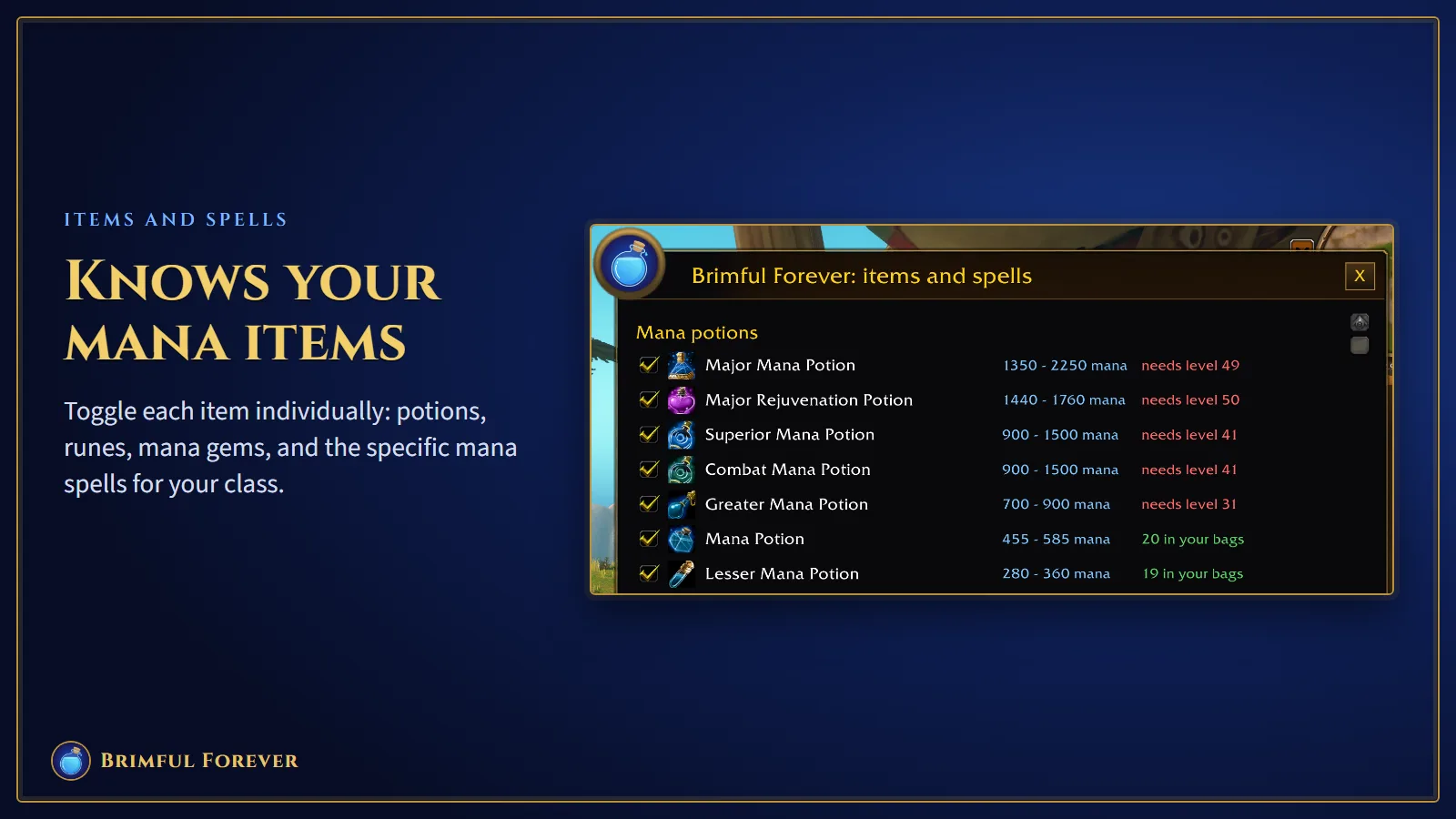
Knows your mana items

Toggle each item individually: potions, runes, mana gems, and the specific mana spells for your class.

Brimful Forever: knows your mana items, shown in game

Rearrange any window you like, and tuck the minimap button away when it gets in the way. Decide whether to use a single configuration for everyone or create a separate profile for each character. There are six gentle sound options to choose from, along with two specific key assignments. Press one to let your party know you have run out of mana, and press the other to access the settings menu.

Installing it by hand

The whole process is quick, lasting roughly a minute. Just place the single required folder where it belongs and let the game handle everything else.

  1. 1

    Download the zip file (181 KB).

  2. 2

    Find your World of Warcraft folder by going through the Battle.net app. Select WoW Forever first, then click the gear icon beside the Play button. From there, pick Show in Explorer.

  3. 3

    Start by navigating into the _forever_ folder, then move to Interface and finally AddOns. Should you not find an AddOns folder there, make a new one using that specific name.

  4. 4

    Unzip the file you downloaded by double-clicking it. You will find a folder named BrimfulForever inside. Move that BrimfulForever folder into the AddOns directory.

  5. 5

    Verify the setup is correct by ensuring AddOns appears first, followed by BrimfulForever with its add-on files located directly inside. If you notice BrimfulForever nested within another BrimfulForever folder, the game will fail to detect it.

  6. 6

    Launch the game, or enter /reload if you are already playing. Access the character screen and find AddOns in the bottom left corner. Verify that Brimful Forever is selected there.

Where the folder goes

World of Warcraft\_forever_\Interface\AddOns\BrimfulForever

When updating, simply remove the old BrimfulForever folder and replace it with the new one. Your settings remain intact since the game saves them in a separate location.

Chat commands

/brim
opens the settings
/brim items
opens the list of items and spells
/brim unlock, /brim lock
let you drag the display, then fix it in place
/brim reset
moves the display and windows back to the middle
/brim minimap
shows or hides the minimap button
/brim hold
saves your potions for the end of the next fight
/brim compare <item>
shows an item side by side with what you wear

Fair play

Brimful stays within the bounds of Blizzard's add-on regulations. The tool does not trigger spells or activate items without your input, meaning you must click to use every single potion. It restricts its communication to members of your specific party or raid, limiting this interaction to once per event. Additionally, the mod is completely free with no costs involved.